
Control the visibility, layout, and styling of the cart action and checkout buttons.

Action buttons
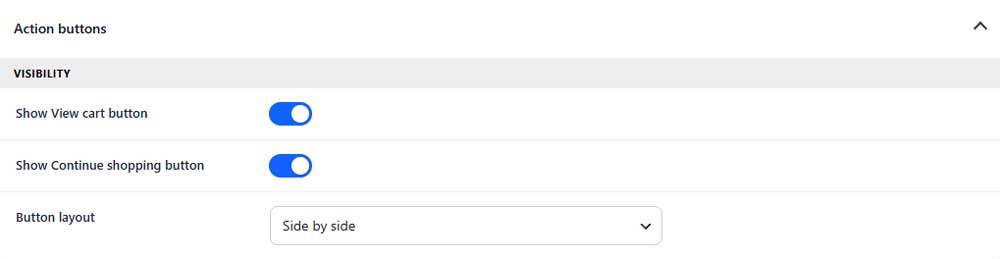
Show View cart button
Shows or hides the View Cart button.
Show Continue shopping button
Shows or hides the Continue Shopping button.
Button layout
Choose whether the action buttons appear side by side or stacked.
View cart button
Content
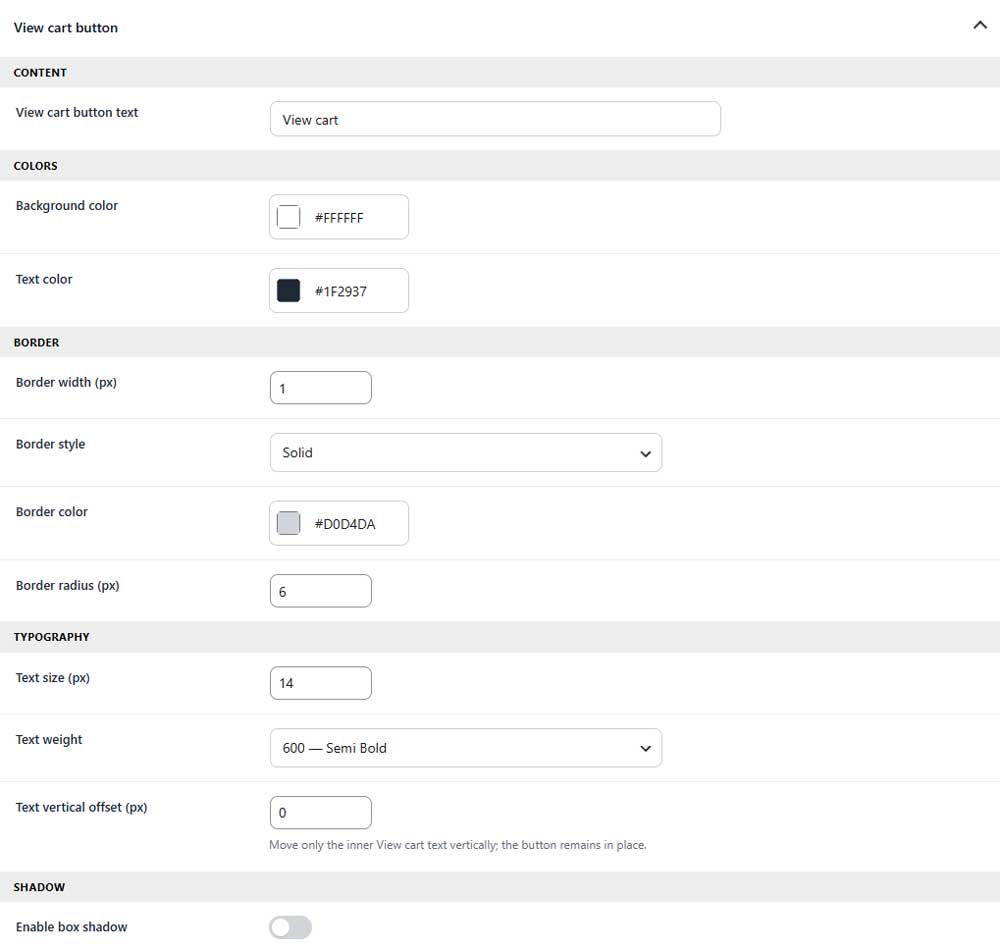
View cart button text
Sets the text displayed on the View Cart button.
Colors
Background color
Sets the button background color.
Text color
Sets the button text color.
Border
Border width
Sets the thickness of the button border.
Border style
Selects the style of the button border.
Border color
Sets the color of the button border.
Border radius
Controls how rounded the button corners appear.
Typography
Text size
Sets the font size of the button text.
Text weight
Controls how light or bold the button text appears.
Text vertical offset
Moves only the button text up or down.
Shadow
Enable box shadow
Adds or removes a shadow around the button.
Continue shopping button
Content
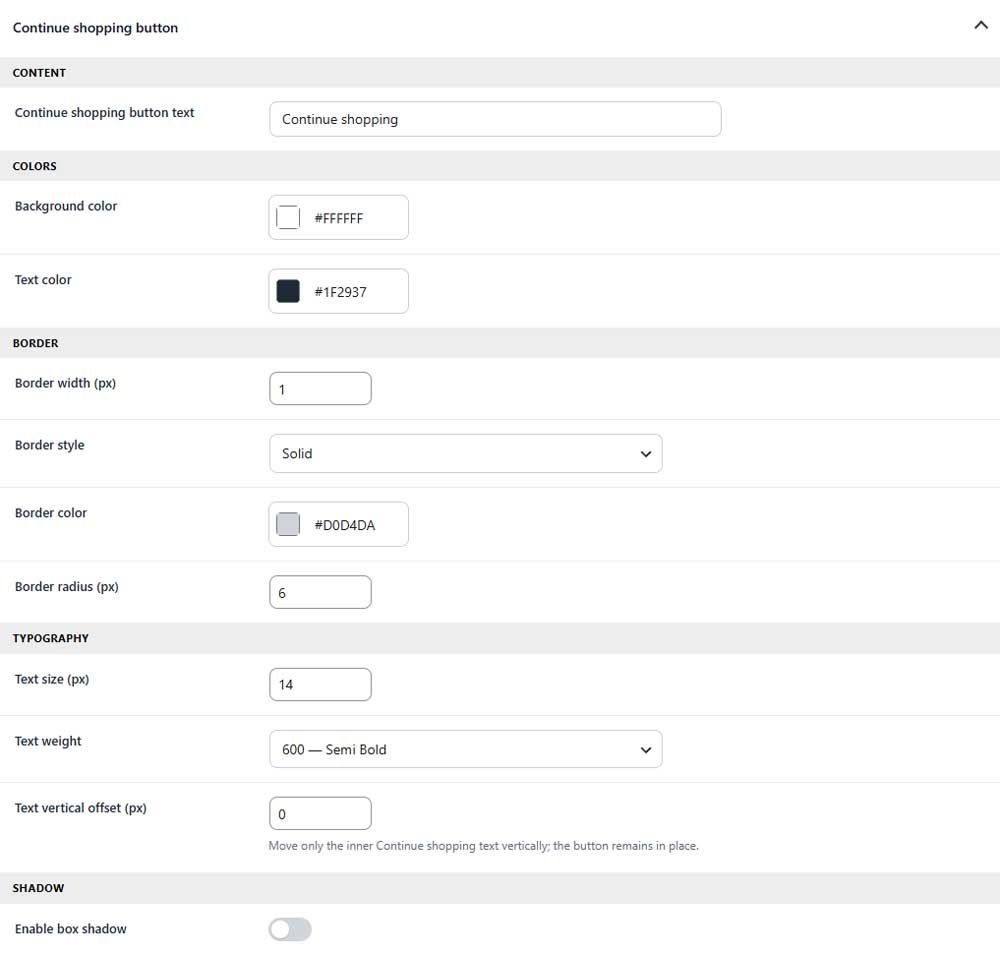
Continue shopping button text
Sets the text displayed on the Continue Shopping button.
Colors
Background color
Sets the button background color.
Text color
Sets the button text color.
Border
Border width
Sets the thickness of the button border.
Border style
Selects the style of the button border.
Border color
Sets the color of the button border.
Border radius
Controls how rounded the button corners appear.
Typography
Text size
Sets the font size of the button text.
Text weight
Controls how light or bold the button text appears.
Text vertical offset
Moves only the button text up or down.
Shadow
Enable box shadow
Adds or removes a shadow around the button.
Checkout button & helper text
Button content
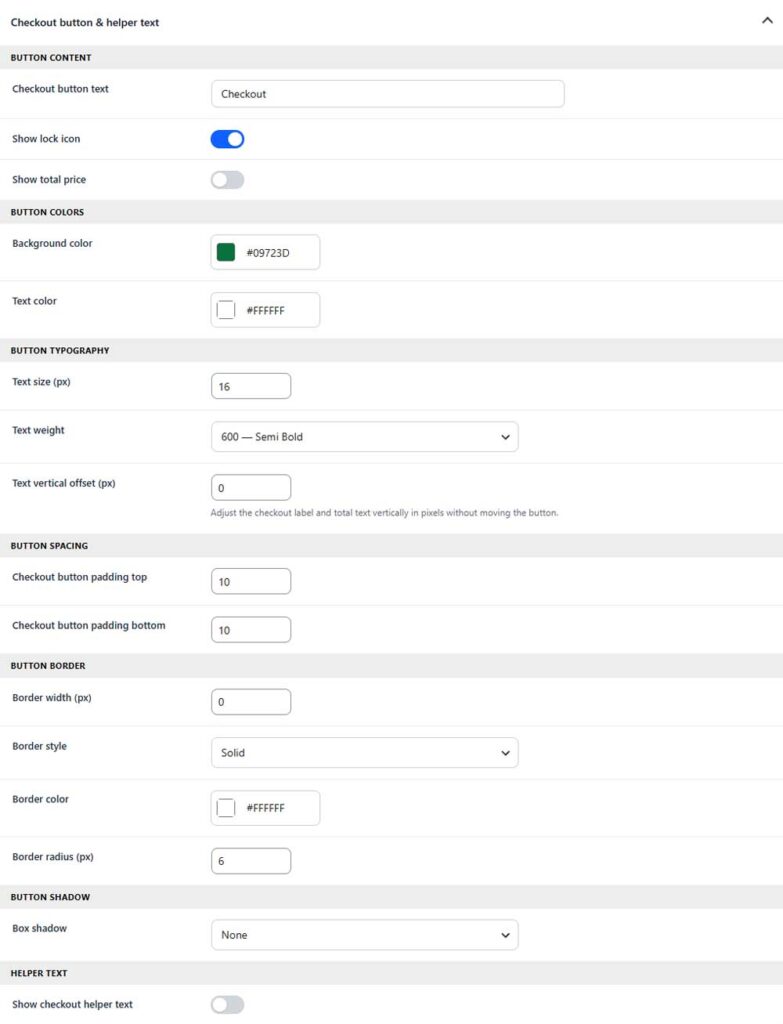
Checkout button text
Sets the text displayed on the checkout button.
Show lock icon (PRO)
Shows or hides the lock icon inside the checkout button.
Show total price (PRO)
Shows or hides the cart total inside the checkout button.
Button colors
Background color
Sets the checkout button background color.
Text color
Sets the checkout button text and icon color.
Button typography
Text size
Sets the font size of the checkout button text.
Text weight
Controls how light or bold the checkout button text appears.
Text vertical offset
Moves the checkout text and total up or down.
Button spacing
Checkout button padding top
Sets the spacing above the checkout button content.
Checkout button padding bottom
Sets the spacing below the checkout button content.
Button border
Border width
Sets the thickness of the checkout button border.
Border style
Selects the style of the button border.
Border color
Sets the color of the button border.
Border radius
Controls how rounded the checkout button corners appear.
Button shadow (PRO)
Box shadow (PRO)
Selects the shadow applied around the checkout button.
Helper text (PRO)
Show checkout helper text (PRO)
Shows or hides supporting text below the checkout button.