
Create milestones that unlock when the cart reaches a specified amount. Available reward types include free shipping, discounts, and free gifts.

Common settings
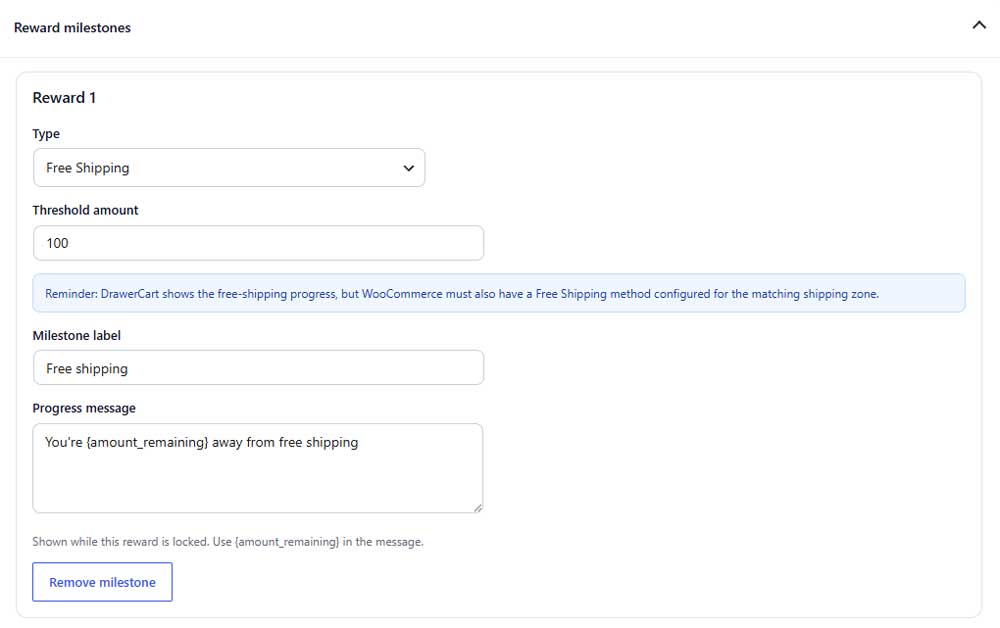
Type
Select the reward customers unlock at this milestone.
Threshold amount
Sets the cart amount required to unlock the reward.
Milestone label
Sets the reward name displayed in the progress indicator.
Progress message
Sets the message shown before the reward is unlocked. Use {amount_remaining} to display the remaining amount.
Remove milestone
Deletes the selected reward milestone.
Free shipping

Free-shipping progress is displayed by DrawerCart, but a matching Free Shipping method must also be configured in WooCommerce.
Discount (PRO)
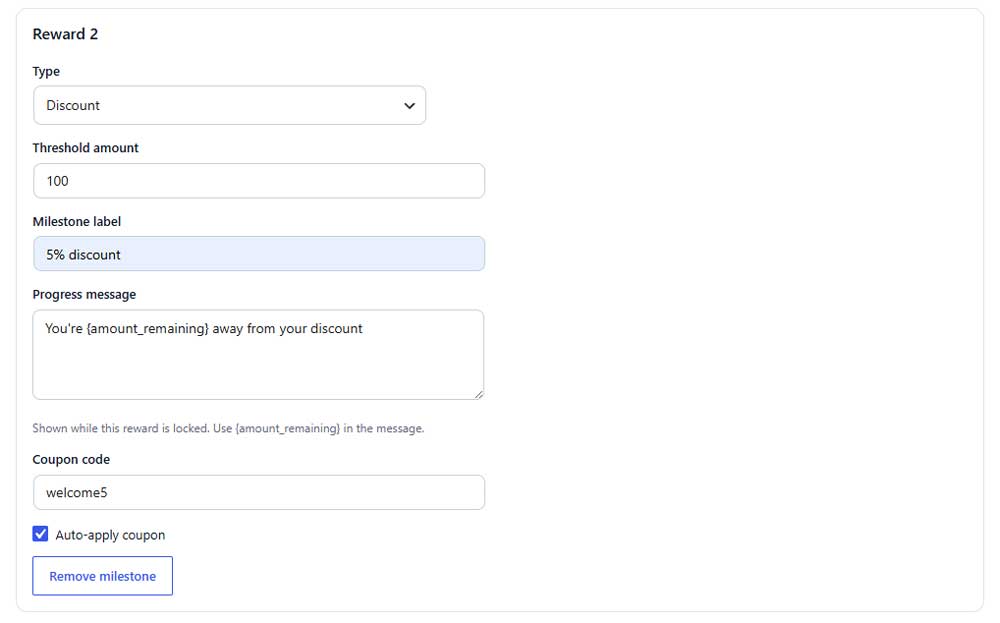
Coupon code (PRO)
Enter the WooCommerce coupon code used for the reward.
Auto-apply coupon (PRO)
Automatically applies the coupon when the milestone is unlocked.
Free gift (PRO)
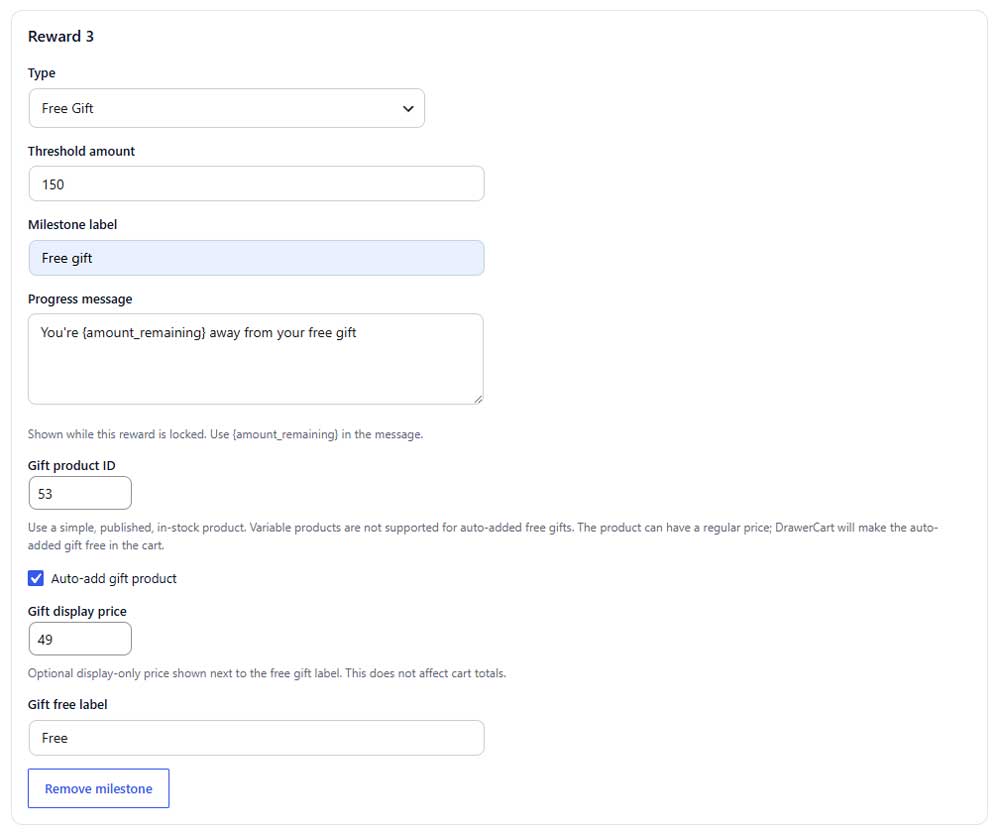
Gift product ID (PRO)
Enter the ID of the product customers receive as a free gift.
Use a published, in-stock simple product. Variable products cannot be added automatically.
Auto-add gift product (PRO)
Automatically adds the gift product when the milestone is unlocked.
Gift display price (PRO)
Shows an optional reference price beside the free-gift label without affecting the cart total.
Gift free label (PRO)
Sets the text displayed instead of the gift product price.
Add milestone (PRO)

Add milestone (PRO)
Adds another reward to the progress system. All milestones are unlocked according to the cart amount.