
WooCommerce drawer cart plugin

Drawer Cart Documentation

Getting started

3
  • 5
    Overview
  • 5
    Installing Drawer Cart Lite
  • 5
    Installing Drawer Cart Pro
  • 5
    Activating License Key

General settings

3
  • 5
    Overview
  • 5
    Presets
  • 5
    Drawer
  • 5
    Header
  • 5
    Empty cart
  • 5
    Menu trigger
  • 5
    Visibility
  • 5
    Advanced

Floating cart

3
  • 5
    Behavior
  • 5
    Design

Product cards

3
  • 5
    Content
  • 5
    Layout
  • 5
    Design

Rewards

3
  • 5
    Setup
  • 5
    Milestones
  • 5
    Design

Recommended products

3
  • 5
    Products
  • 5
    Layout
  • 5
    Design
  • 5
    Mobile

Coupons

3
  • 5
    Behavior
  • 5
    Toggle
  • 5
    Coupon form

Cart notice

3
  • 5
    Content
  • 5
    Layout
  • 5
    Design

Summary & checkout

3
  • 5
    Summary
  • 5
    Actions
  • 5
    Footer

Express checkout

3
  • 5
    Express checkout
  • 5
    Layout
  • 5
    Divider

Payment badges

3
  • 5
    Icons
  • 5
    Layout
  • 5
    Design
  • 5
    Mobile

Labels & messages

3
  • 5
    Labels & messages

Icons

Choose which payment method icons appear below the checkout button and add custom payment badges.

payment badges icon tab

Visibility

Show payment icons
Shows or hides the payment badges below the checkout button.

Payment methods

Payment icons
Select the payment method badges you want to display.

Custom icons (PRO)
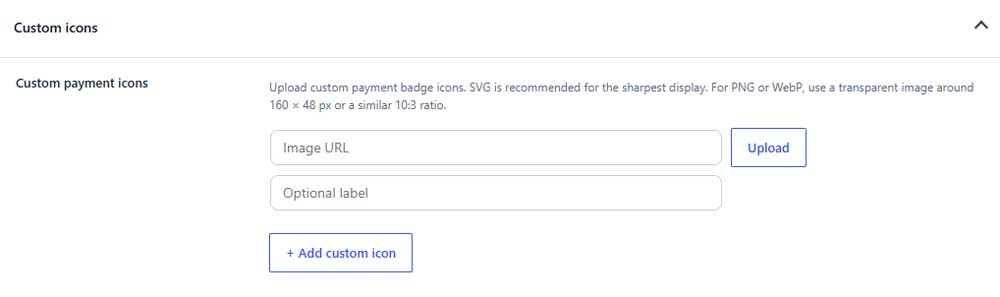
Custom payment icons
Upload a custom payment badge or enter its image URL. SVG is recommended for the sharpest display.

Optional label
Adds an accessible label for the custom payment icon.

Add custom icon
Adds another custom payment badge.

Table of Contents
