
Customize the collapsed coupon toggle shown before the coupon form is opened.

Collapsed toggle
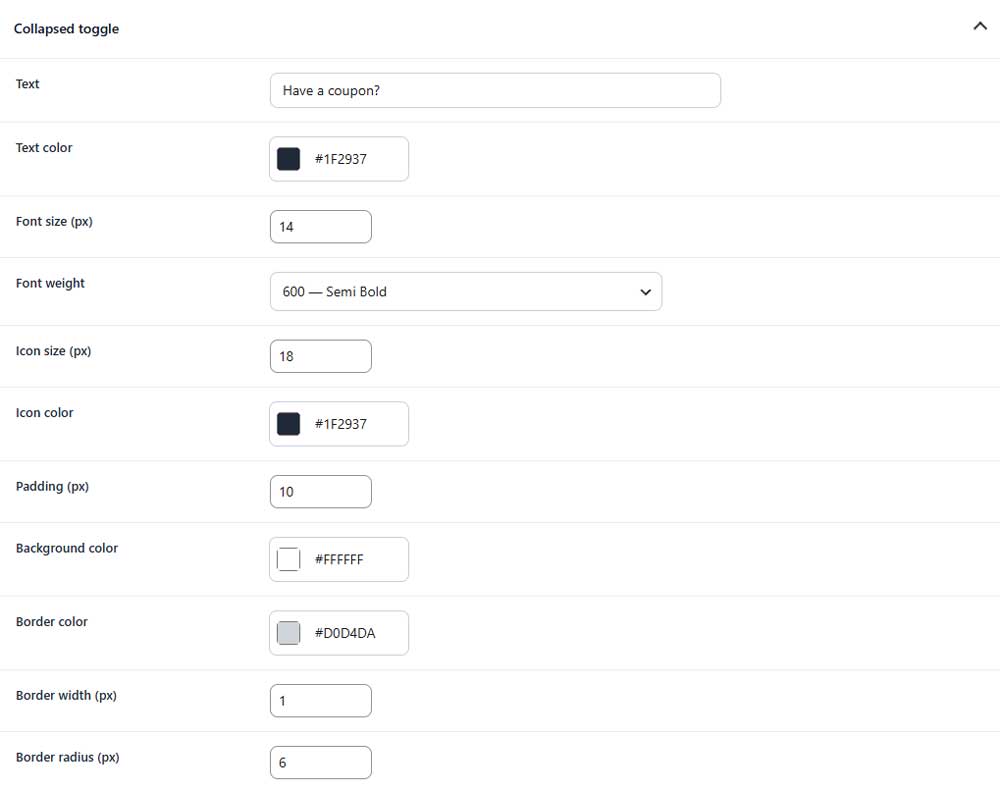
Text
Sets the text displayed in the coupon toggle.
Text color
Sets the color of the toggle text.
Font size
Sets the font size of the toggle text.
Font weight
Controls how light or bold the toggle text appears.
Icon size
Sets the size of the toggle icon.
Icon color
Sets the color of the toggle icon.
Padding
Sets the inner spacing of the coupon toggle.
Background color
Sets the background color of the toggle.
Border color
Sets the color of the toggle border.
Border width
Sets the thickness of the toggle border.
Border radius
Controls how rounded the toggle corners appear.