
Control where DrawerCart appears across your website and on different devices.

Global visibility

Enable DrawerCart globally
Enables or disables DrawerCart across the entire frontend of your website.
WooCommerce pages
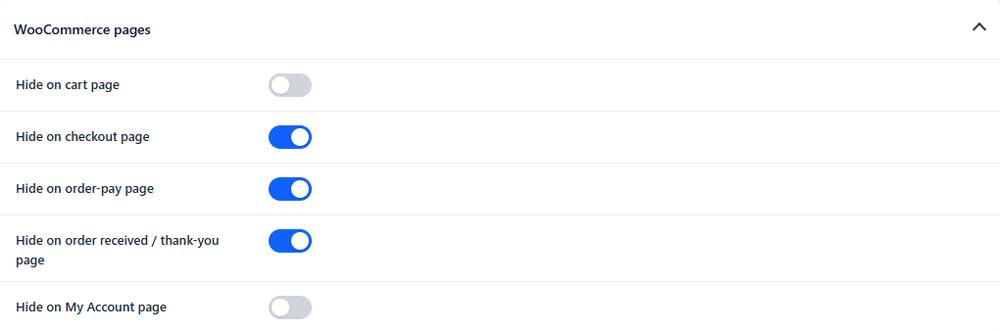
Hide on cart page
Hides DrawerCart on the WooCommerce cart page.
Hide on checkout page
Hides DrawerCart on the checkout page.
Hide on order-pay page
Hides DrawerCart on the WooCommerce order payment page.
Hide on order received / thank-you page
Hides DrawerCart after a customer completes an order.
Hide on My Account page
Hides DrawerCart on WooCommerce My Account pages.
Blog / Posts (PRO)

Hide on blog page (PRO)
Hides DrawerCart on the main blog page.
Hide on single blog posts (PRO)
Hides DrawerCart on individual blog posts.
Hide on blog archives (PRO)
Hides DrawerCart on category, tag, date, and other blog archive pages.
Device visibility
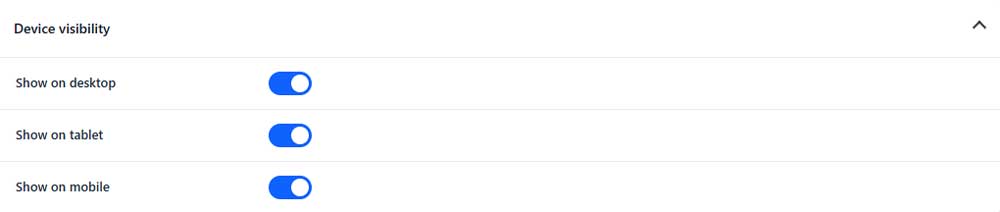
Show on desktop
Shows or hides DrawerCart on desktop devices.
Show on tablet
Shows or hides DrawerCart on tablet devices.
Show on mobile
Shows or hides DrawerCart on mobile devices.
Selected pages (PRO)

Visibility mode (PRO)
Choose whether DrawerCart is displayed across the entire site or according to selected pages.
Page IDs (PRO)
Enter comma-separated page IDs used by the selected visibility mode.